Website Indexability Audit
Run a website indexability audit to find noindex directives, redirecting URLs, errors, soft 404s, canonical conflicts, duplicates, and pages Google is unlikely to index.
Read the guide →A website crawlability audit checks whether Googlebot can discover and request the URLs that matter. Review crawler access, robots.txt, server responses, internal crawl paths, XML sitemaps, JavaScript links, parameter spaces, crawl traps, and logs before moving on to indexability.
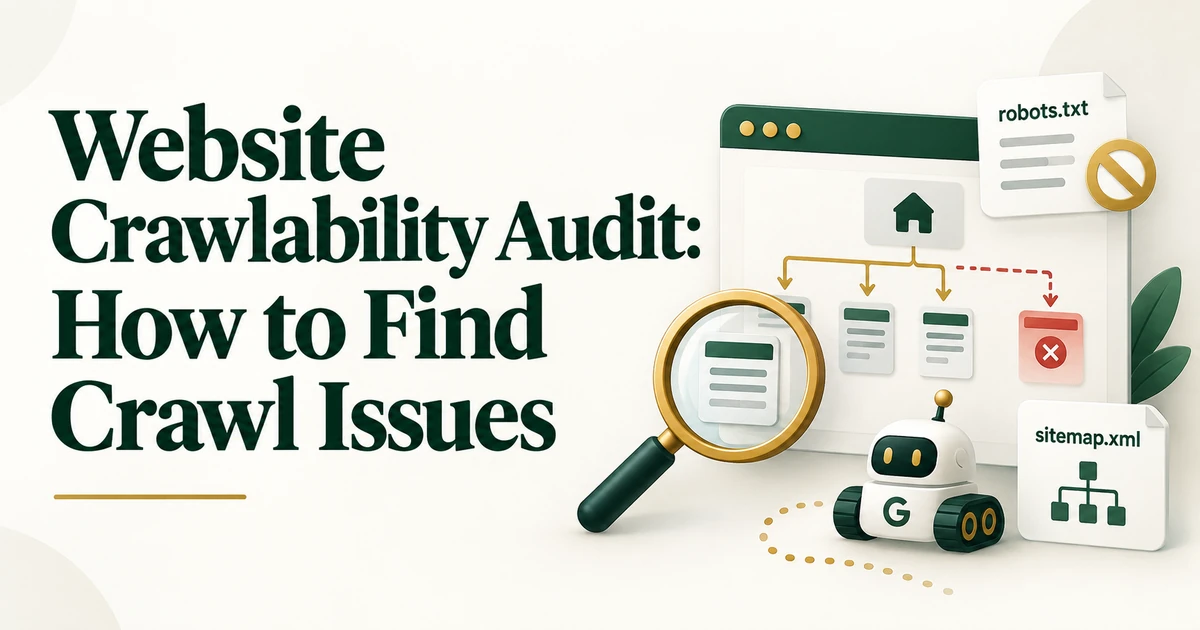
Crawlability is the first technical gate in search. If Googlebot cannot reliably discover or request an important URL, later questions about indexing, canonical selection, or ranking become secondary.
A website crawlability audit should answer one focused question: can search engines reach the pages that matter through stable, crawlable paths? It is not a full Technical SEO audit, and it should not be confused with an indexability review.
A crawlability audit evaluates how search-engine crawlers discover and access URLs across a website. The evidence usually comes from a crawler such as Screaming Frog, robots.txt, XML sitemaps, HTTP responses, internal-link data, JavaScript rendering checks, and - where available - server logs. For a focused next step, review Technical SEO audit checklist.
Start with a clear inventory of priority pages: the homepage, core services or products, important categories or collections, key articles, location pages, and other URLs intended to participate in organic search. Not every URL needs to be crawlable; account areas, internal search results, and low-value filter combinations may be intentionally restricted.
Review robots.txt for broad Disallow rules, staging directives left on production, and patterns that unintentionally block important sections. Also check whether CSS, JavaScript, images, or APIs required for rendering are accessible when they matter. Remember that robots.txt controls crawling, not indexing.
If the real question is whether a page can be indexed after it is crawled, continue with the website indexability audit.
Crawl priority URLs and group non-200 responses. Repeated 5xx errors, DNS failures, timeouts, 403 responses, redirect loops, or intermittent server problems can prevent reliable crawling even when the site appears normal to a human visitor.
Compare crawl data with sitemaps, analytics landing pages, or CMS exports to find important URLs that exist but cannot be reached through crawlable internal links. Review crawl depth as well: valuable pages buried several clicks below their logical hub deserve investigation.
If weak architecture is the main problem, use the internal linking audit to evaluate orphan pages, click depth, inlinks, and link context.
Faceted navigation, calendars, sort parameters, tracking parameters, session IDs, and dynamically generated combinations can create huge URL spaces. The goal is not to block every parameter automatically, but to identify patterns that consume crawler attention without creating independent search value.
A clean XML sitemap should contain preferred, important URLs. Compare sitemap URLs with the crawl: are important sitemap pages also reachable through the site, and are crawlable priority pages represented by their preferred URL versions? A sitemap helps discovery but should not be the only path to critical content.
A crawler shows what your audit tool can reach; server logs can show what Googlebot actually requested. On large or complex sites, compare both sources to identify sections that exist in the architecture but receive little or no real crawler activity.
Prioritize by business value, scale, and severity. A robots.txt rule blocking an entire product category outranks a low-value parameter path. A recurring 5xx on a revenue template outranks an isolated archive issue. After fixes, recrawl affected patterns and confirm direct, stable access.
For the broader troubleshooting process, use the guide to find and fix Technical SEO issues.
A crawlability audit is complete when you can explain which important URLs Googlebot can reach, which technical barriers prevent access, and which crawl paths need to change. Keep the diagnosis focused on discovery and crawler access; move canonical and indexing questions to the indexability layer.
No. Crawlability is whether Googlebot can access a URL. Indexability is whether the URL is technically eligible to be indexed and selected as a representative result.
Yes. Sitemap inclusion can help discovery, but weak internal links, server failures, blocked resources, or crawl traps can still create poor crawl conditions.
No. The goal is to make important URLs reliably crawlable while controlling unnecessary or low-value URL spaces where appropriate.