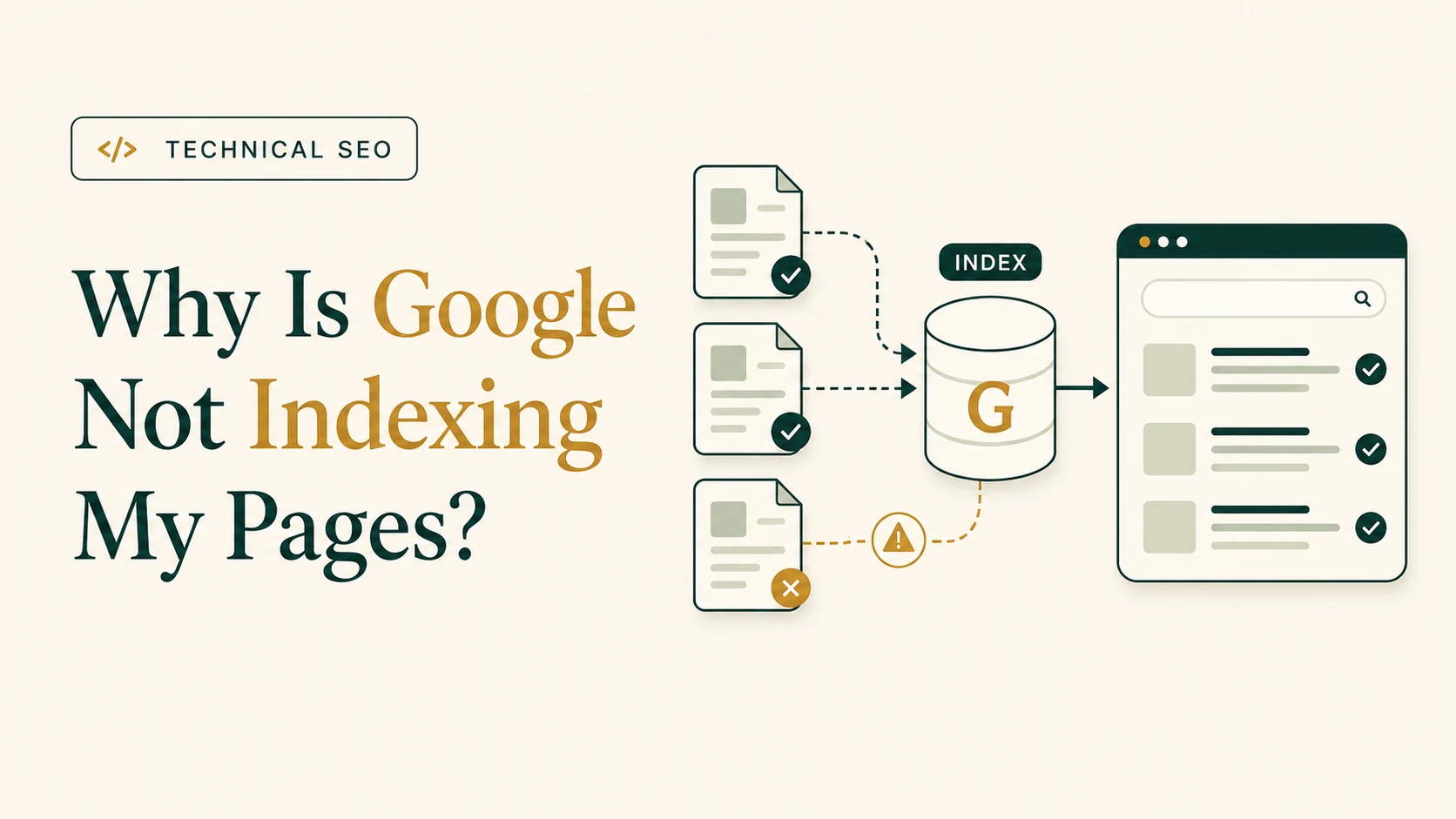
Why Is Google Not Indexing My Pages?
Identify discovery, crawling, noindex, canonical, sitemap, content, and internal-linking causes.
Read the article →Find and fix Technical SEO issues by checking whether search engines can discover, crawl, render, and index your most valuable pages, then correcting conflicting status codes, robots directives, canonical signals, internal links, sitemaps, redirects, and duplicate URLs.

noindex
,
robots.txt
restrictions, server errors, broken links, redirect chains, sitemap inconsistencies, orphan pages, and duplicate URLs.
Your website can look completely normal to visitors while quietly sending Google in circles , pointing it to the wrong URLs, or telling it not to index your best pages .
Technical SEO problems are polite like that: they rarely announce themselves. They simply reduce visibility in the background and wait for someone to notice.
Search engines need to discover, crawl, process, and index your pages correctly. A problem at any stage can prevent important content from appearing in search results.
To find and fix Technical SEO issues, begin with the pages that matter most to your business . Check their indexing status, HTTP responses, crawl access, robots directives, canonical tags, internal links, XML sitemap inclusion, redirects, and duplicate versions. Prioritize issues that block valuable pages or affect many URLs, implement the appropriate changes, and validate the result with a fresh crawl and Google Search Console.
If your team is choosing between another publishing sprint and technical cleanup, use the decision framework on Technical SEO before more content before scaling production.
If the cause is unclear, the fix has implementation risk, or valuable pages are affected, review when technical SEO issues need specialist help before making larger changes.
Start with the pages that have the greatest business value rather than auditing every URL with equal urgency.
Priority pages may include:
For each page, check:
Starting with these pages is more useful than chasing every warning a crawler can produce. Given enough URLs, most audit tools will eventually find something to be unhappy about.
A missing image alt attribute on an old post is usually less urgent than an unintended
noindex
directive on a primary service page.
A quick Google search using the site: operator may indicate whether a URL appears in search:
site:yourdomain.com/page-url/However, this is not a complete or definitive indexing test.
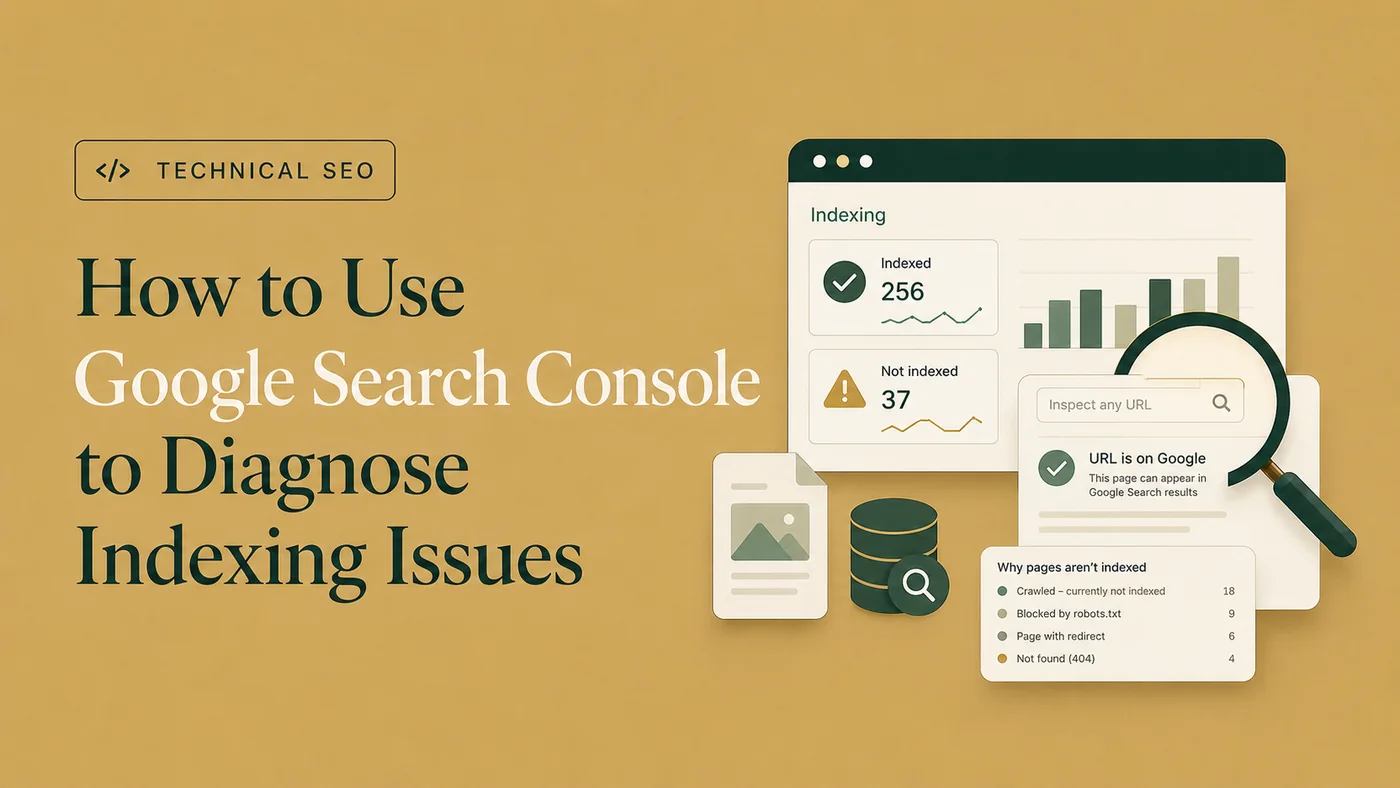
The more reliable method is to inspect the exact URL in Google Search Console. URL Inspection can show whether:
noindex
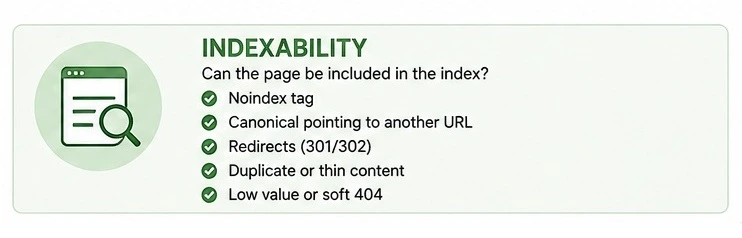
When an important URL is absent from search, first investigate the common reasons why Google may not index a page .
Do not treat Request Indexing as a repair button. It asks Google to check the page again, but it does not remove a crawl block, correct a canonical, cancel a redirect, or improve a low-value duplicate page.
For a more detailed workflow, use the Page Indexing report and URL Inspection tool together to diagnose indexing issues in Google Search Console .
Crawlability determines whether a search engine can access a page and its essential resources. For a focused next step, review crawlability audit.
Check whether important URLs are being restricted by:
robots.txt
You should also inspect the HTTP response.
An important live page should normally return:
200 OKOther responses may indicate a different condition:
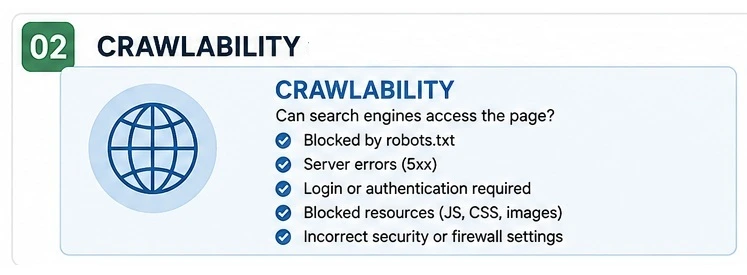
A redirecting URL is not normally indexed as a separate page. Google generally evaluates the destination instead.
A crawler such as Screaming Frog can identify response-code and crawlability problems across many URLs. Google Search Console can then help investigate important pages individually.
The fact that a page opens in your own browser does not prove that a search-engine crawler can access the same content and resources.
A page can be crawlable but still be ineligible for indexing.
One common cause is an unintended
noindex
directive:
<meta name="robots" content="noindex">This tells supported search engines not to include the page in their indexes.
Accidental
noindex
directives often appear after:
If the page should appear in search, remove the directive and confirm that Google can crawl the updated version.
You should also review the canonical tag:
<link rel="canonical" href="https://www.example.com/preferred-page/">A canonical tag identifies the URL you consider the preferred version .
If an important page points to another URL as canonical, Google may index that alternative instead. The page may effectively be directing Google toward the exit.
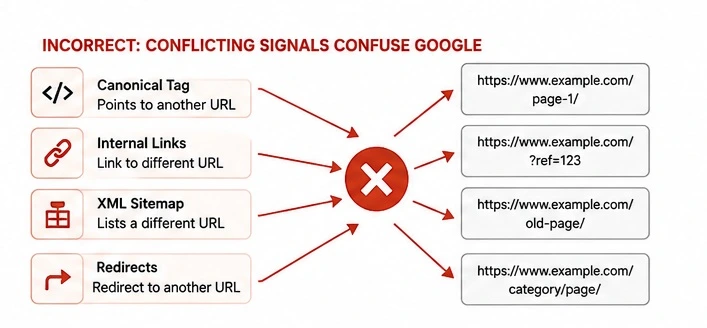
For consistent canonical signals:
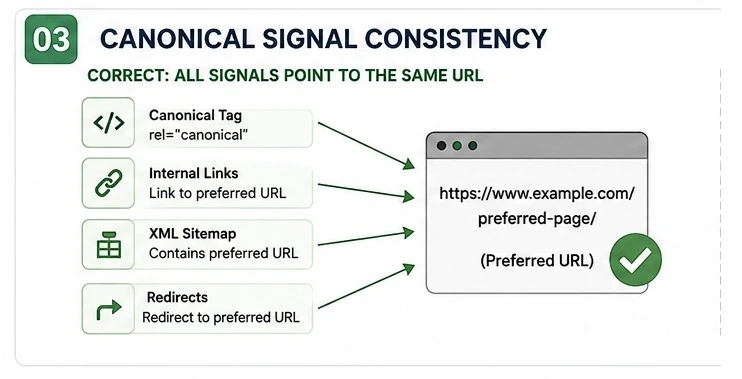
Conflicting signals can cause Google to select a different canonical from the one you intended.
Google commonly discovers URLs through links from pages it already knows. For a focused next step, review internal linking audit.
An important page may be difficult to discover or appear unimportant if it:
A URL with no internal links is commonly called an orphan page. It exists, but the rest of the website behaves as though it has never met it.
Add relevant links from:
Anchor text should help readers understand the destination.
For example:
technical SEO audit serviceis more informative than:
click hereImportant pages should also fit within a logical website hierarchy. There is no universal rule requiring every URL to be exactly three clicks from the homepage, but valuable pages should be easy for users and crawlers to reach.
Get a focused SEO review that identifies the issues, missed opportunities, and priority fixes.
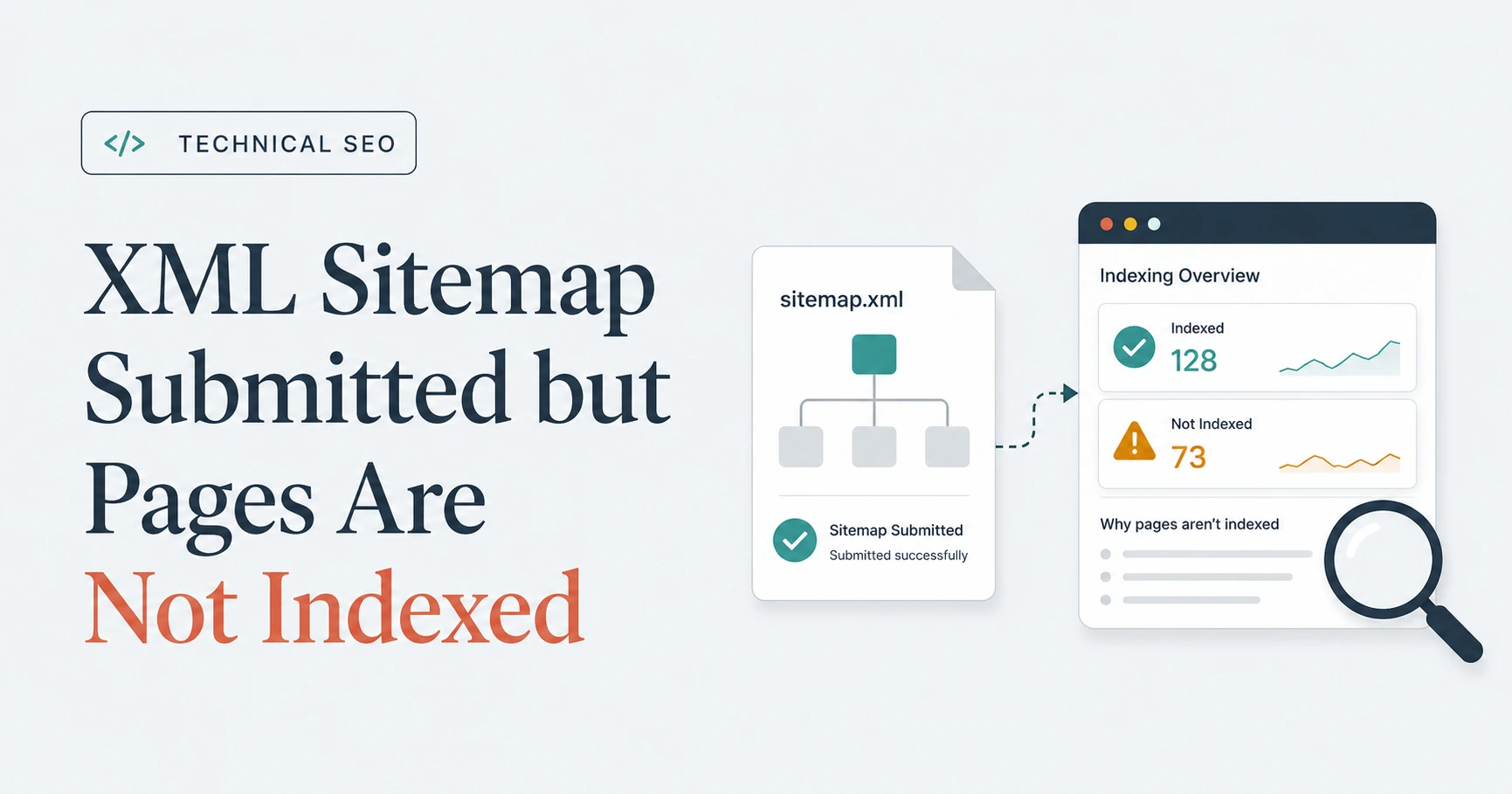
An XML sitemap should normally contain the canonical, indexable URLs that you want search engines to discover.
Include URLs that are:
Remove URLs that are:
noindex
Sitemap inclusion does not guarantee indexing. Adding a URL to a sitemap is not a guaranteed admission ticket to Google’s index.
The URL must still be crawlable, indexable, useful, and supported by consistent canonical and internal-link signals.
Broken internal links can prevent users and search engines from reaching important content. For a focused next step, review redirect audit.
Review links pointing to:
Whenever possible, update an internal link so it points directly to the final destination.
Instead of:
Page A → Old URL → New URLuse:
Page A → New URLA redirect chain may look like:
Old URL → Second URL → Final URLA cleaner implementation is:
Old URL → Final URLSearch engines and visitors generally do not need a sightseeing tour through several old URLs before reaching the current page.
Redirect loops are more serious because they prevent the destination from loading at all.
Duplicate URLs may also be created through:
Use redirects or canonical tags to consolidate these versions.
Duplicate content does not automatically cause a Google penalty, but unnecessary URL variations can weaken canonical clarity and make crawling less efficient.
Prioritize issues according to:
Examples include:
noindex
robots.txt
Examples include:
Examples include:
Examples include:
A perfect audit score may look satisfying, but it has limited value if a primary service page remains blocked, orphaned, or canonicalized somewhere else.
Always ask:
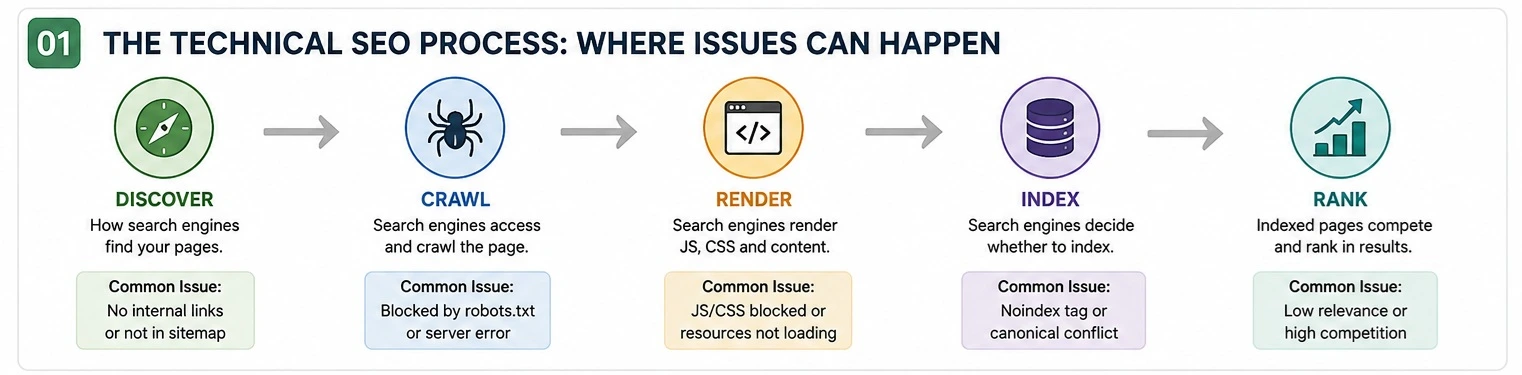
A Technical SEO fix is successful when the original technical condition changes —not merely when an audit score improves. For a focused next step, review Technical SEO implementation.
After implementing a change:
Examples of successful validation include:
noindex
has been removed
Some changes may be processed within days. Others may take several weeks.
Confirm the technical outcome before expecting an immediate ranking change. Rankings and traffic also depend on relevance, content quality, competition, authority, and search demand.
Some problems can be corrected through a CMS or SEO plugin. Others require crawler analysis, Google Search Console evidence, template checks, development work, or post-fix validation across many URLs.
When the cause is unclear, affects important templates, or creates conflicting recommendations, Technical SEO audit and implementation support can turn the findings into a prioritized fix plan and verify that the intended changes work correctly.
robots.txt
?
noindex
?
Start with the pages that matter most to your business. Check whether each page returns a successful 200 response, allows crawling and indexing, uses the intended canonical URL, receives relevant internal links, appears correctly in the XML sitemap, and avoids unnecessary redirects or duplicate versions.
Common Technical SEO issues include unintended
noindex
directives,
robots.txt
restrictions, broken internal links, orphan pages, redirect chains, incorrect canonical tags, duplicate URLs, XML sitemap errors, and 404, 500, or 503 responses. The most important issues are those that prevent valuable pages from being discovered, crawled, indexed, or consolidated correctly.
Fix issues that block important pages or affect large parts of the website first. Unintended
noindex
directives, server errors, redirect loops,
robots.txt
blocks, and site-wide canonical problems normally deserve attention before minor warnings on low-value pages.
Google may be unable to crawl a page because of
robots.txt
restrictions, authentication, firewall rules, unavailable resources, or server errors. A crawlable page may still remain unindexed because of
noindex
, redirects, duplicate content, conflicting canonical signals, weak internal discovery, or limited independent value.
Check which URLs are affected, whether those pages should appear in search, how many pages share the issue, and whether the condition blocks crawling, indexing, canonicalization, or user access. A warning is more important when it affects valuable pages, an entire template, or a large group of URLs.
Google Search Console helps investigate indexing, crawl access, canonical selection, and individual URLs. A crawler such as Screaming Frog can identify status codes, broken links, redirects, canonicals, directives, and orphan-page signals across the website, while browser tools, HTTP checkers, CMS settings, and server logs provide additional evidence.
Recrawl the affected URLs and verify that the original technical condition has changed. Confirm the HTTP response, robots directive, canonical tag, internal links, sitemap entry, and live URL result in Google Search Console, then monitor whether Google processes the updated version.
Finding Technical SEO issues is not about achieving a perfect audit score.
The objective is to ensure that search engines can discover, crawl, process, understand, and index the pages that matter to your business.
Start with your highest-value pages. Review their indexing status, crawlability, response codes, robots directives, canonical tags, internal links, sitemap inclusion, redirects, and duplicate versions.
Then prioritize the issues that affect important pages, large website sections, traffic, or conversions.
A website does not need to be technically perfect. Its important pages do need to be accessible, indexable, logically organized, and supported by clear, consistent signals .

Clear diagnosis, practical fixes, and excellent communication.
Verified Upwork feedback