How to Find and Fix Technical SEO Issues on Your Website
A practical framework for diagnosing, prioritizing, fixing, and validating technical SEO problems.
Read the article →Google may not index a page because it cannot discover or crawl the URL, indexing is blocked, another URL is canonical, the page redirects or returns an error, or the content does not provide enough independent value.
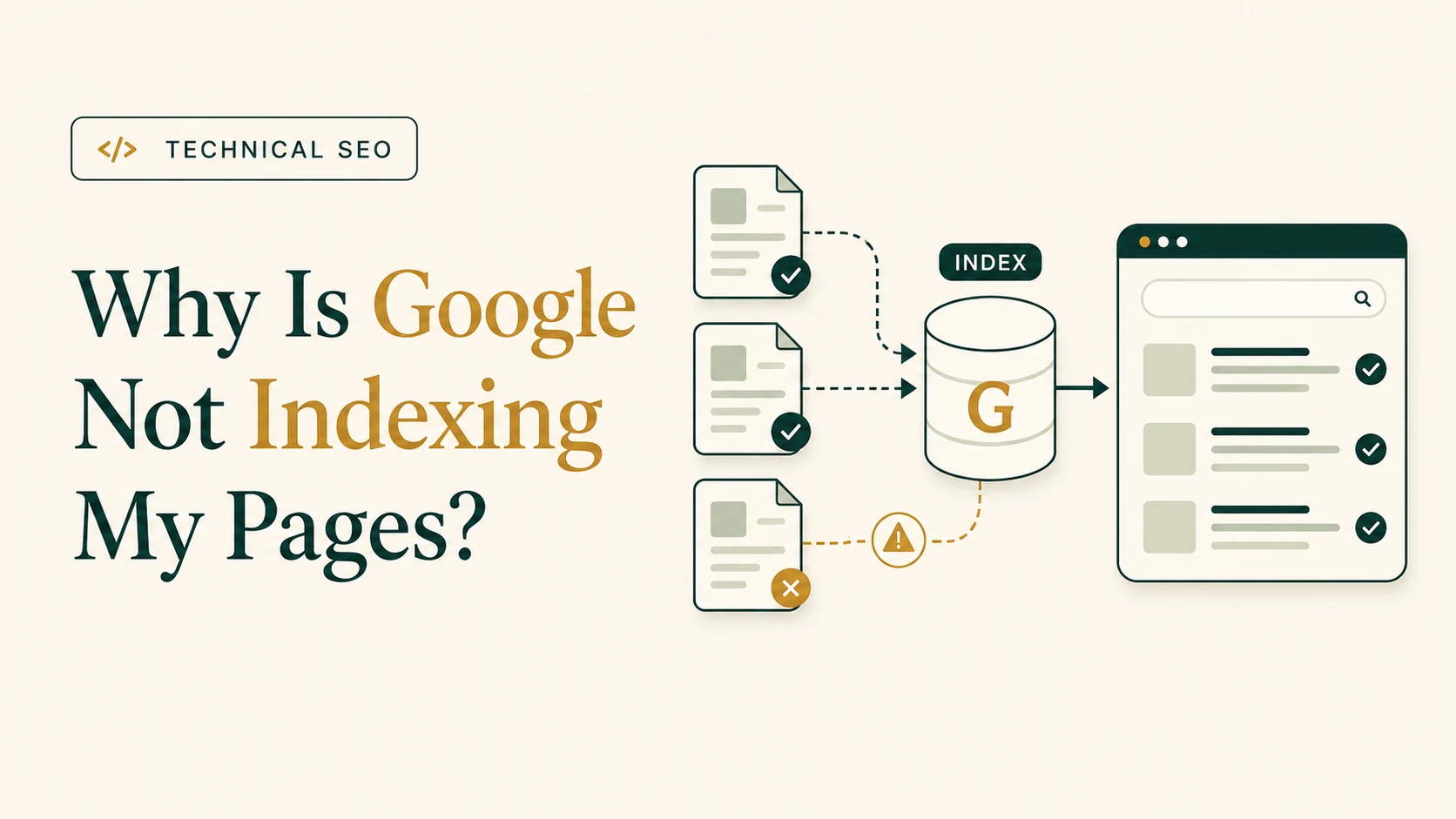
Google may not index your pages because it has not discovered them, cannot crawl them, is blocked by noindex or robots.txt, sees another URL as canonical, finds a redirect or error, or decides the page does not provide enough independent value. The correct fix depends on the exact URL status in Google Search Console, so inspect the affected URL before requesting indexing again.
If indexing is only one part of a wider technical problem, use the guide to Technical SEO troubleshooting to isolate the cause.
| Symptom | Most likely issue | First check | Deeper guide |
|---|---|---|---|
| Whole website missing | Site-wide crawl/index block or discovery issue | GSC property, robots.txt, noindex, homepage status | Website not indexed |
| One URL not indexed | Page-level technical or quality issue | URL Inspection | Page not indexed |
| New posts not indexed | Discovery or crawl prioritization | Internal links and sitemap | New pages not indexed |
| URL unknown to Google | Google has not discovered the URL | Internal links and sitemap | Page not indexed |
| Discovered, not indexed | Known but not crawled | Internal links, sitemap, server reliability | Discovered article |
| Crawled, not indexed | Crawled but not selected | Content value, duplication, canonical | Crawled article |
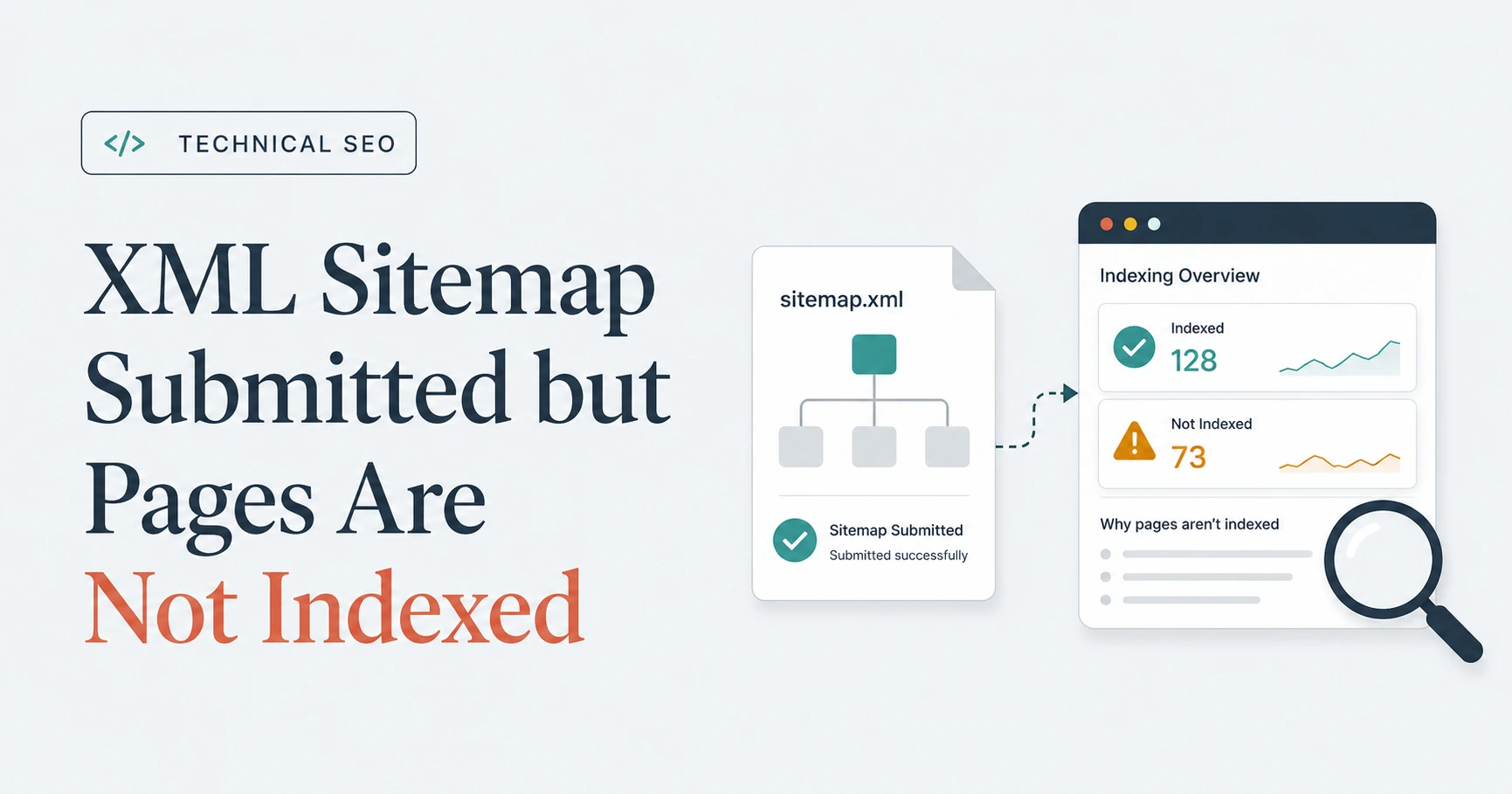
| Submitted sitemap pages not indexed | Sitemap is only a discovery signal | Sitemap contents and URL status | Sitemap article |
No. Not every URL should be indexed.
Focus on valuable pages. Excluded cart, account, filter, internal search, tracking, duplicate, and staging URLs may be normal. The objective is not more indexed URLs; it is the right indexed URLs.
robots.txt
restrictions,
noindex
, non-successful status codes, incorrect canonicals, sitemap inconsistencies, and weak internal linking.
Use the site-wide guide if your website is not indexed by Google, the single-URL guide if one page is not indexed, and the new-content guide if Google is not indexing new pages.
Publishing a page does not automatically send Google an engraved invitation .
Before a page can appear in search results, Google must discover the URL, crawl it, process its content , and decide whether to add it to the index. A problem at any stage can prevent the page from appearing.
Google may not index a page because it has not discovered the URL, cannot crawl it, encounters a redirect or error, detects a
noindex
directive, selects another canonical URL, or decides that the page does not provide enough independent value. The correct response is to inspect the exact URL, identify the reported reason, fix the underlying cause, and validate the live page before requesting indexing.
Repeatedly pressing Request Indexing without changing the page is unlikely to solve the problem. The button asks Google to check again; it does not negotiate with a crawl block, redirect, or conflicting canonical.
The most reliable place to check an individual page is the URL Inspection tool in Google Search Console.
Enter the exact canonical URL you want to investigate. Search Console may report that:
noindex
robots.txt
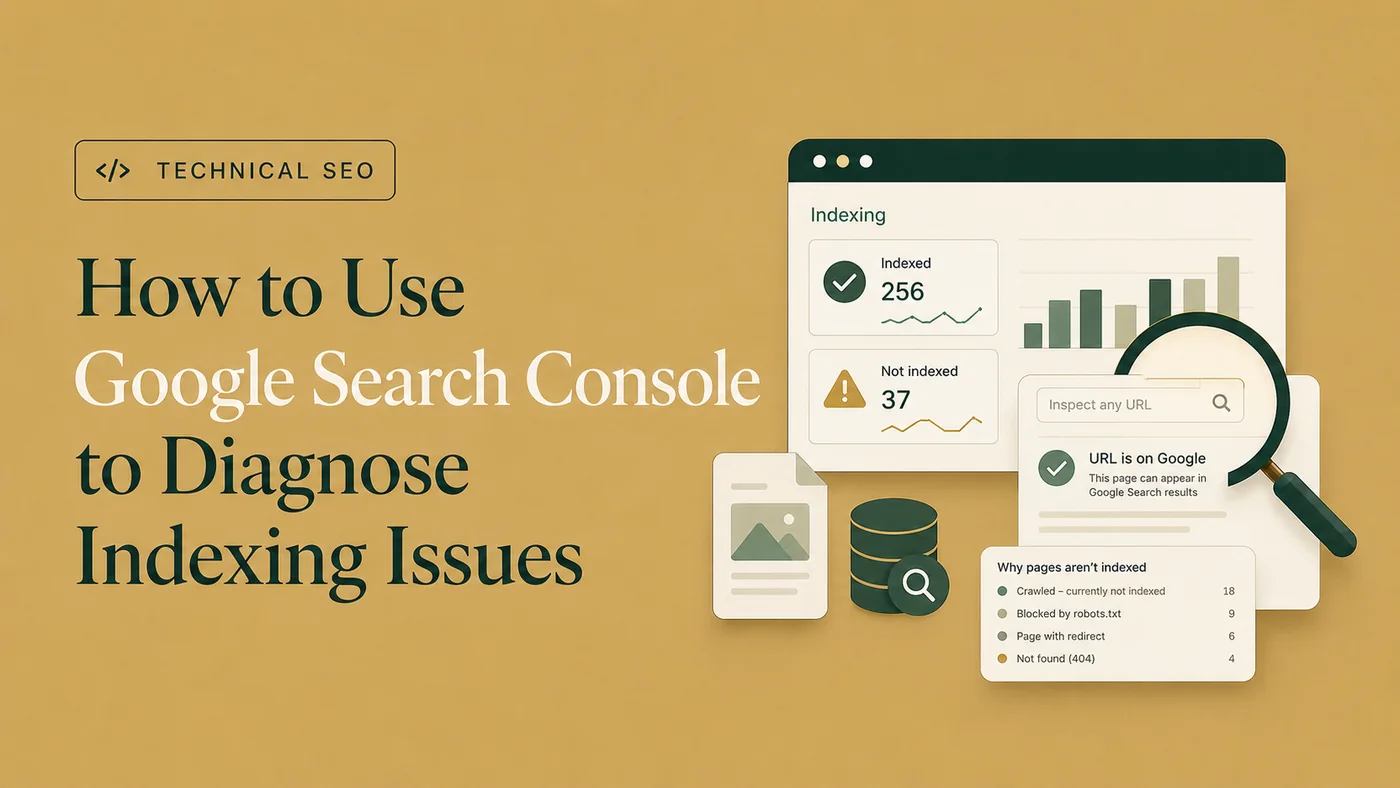
For a broader view, use the Page Indexing report. It groups URLs according to whether they are indexed and shows the reasons other URLs were excluded.
For a step-by-step diagnostic workflow, use the Page Indexing report and URL Inspection tool together to diagnose indexing issues in Google Search Console .
You can also run a quick Google search using:
site:example.com/page-url/A site: search may indicate whether a page appears in Google, but it is not a complete or definitive indexing report. Use Search Console when diagnosing a specific URL.
Not every excluded page represents a problem. Redirected URLs, duplicate variations, deleted pages, account areas, and deliberately excluded content may correctly remain outside the index.
Focus on pages that genuinely matter to the business, such as:
Search Console’s exclusion labels describe what Google observed. They are not a moral judgment on every URL.
Google cannot crawl a page when it does not know the URL exists.
Google commonly discovers new pages through links from pages it already knows. XML sitemaps can also support URL discovery.
A page may remain undiscovered when:
If URL Inspection reports that the page is unknown to Google, add at least one relevant internal link from an accessible, established page.
A new service page could be linked from:
The page should also appear in the XML sitemap when it is canonical, indexable, live, and valuable enough to appear in search.
Do not rely only on the sitemap. A URL can appear in a sitemap while the rest of the website behaves as though it has never met it.
A page generally needs to be crawlable before Google can process its current content and indexing instructions.
Check whether the URL is blocked in the website’s
robots.txt
file, usually found at:
https://example.com/robots.txtFor example:
User-agent: *
Disallow: /services/
This rule would prevent compliant crawlers from requesting pages under /services/.
That would be a serious problem if the directory contained your primary commercial pages.
Other crawl-access problems may include:
Use URL Inspection’s live test to check whether Google can access the current page.
For larger websites, server logs and a technical crawler can provide additional evidence about whether Googlebot is requesting the affected URLs.
Remember that
robots.txt
controls crawling. It is not a reliable substitute for a
noindex
directive.
A blocked URL can still be known through links, and blocking it may prevent Google from seeing an updated indexing instruction.
An important live page should normally return a successful 200 HTTP response.
Other responses may explain why the URL is not indexed:
A redirecting URL is generally not expected to be indexed as a separate page. Google normally evaluates the destination instead.
A page may also be treated as a soft 404. This can happen when the server returns 200, but the page appears empty, contains little meaningful information, or communicates that the requested content does not exist.
Check both the response code and what the page actually displays.
A successful status code is necessary for a normal live page, but 200 alone does not guarantee indexing.
A
noindex
directive tells supported search engines not to include a page in their indexes.
For a focused next step, review website indexability audit.
It may appear in the HTML:
<meta name="robots" content="noindex">
It can also be delivered through an
X-Robots-Tag
HTTP header.
Unintended
noindex
directives often appear after:
Inspect:
If the page should be indexed, remove the unintended directive and confirm that Google can crawl the page.
Google must normally revisit the page before it can detect that
noindex
has been removed. Blocking the same URL in
robots.txt
may prevent Google from seeing the updated instruction.
Search Console may classify an excluded URL as Page with redirect.
This is usually expected when an old URL correctly redirects to a current replacement. Google normally indexes the destination rather than the redirecting URL.
A redirect becomes a problem when:
Test the full redirect path.
Instead of:
Old URL → Temporary URL → Current URLprefer:
Old URL → Current URLUpdate internal links so they point directly to the final destination.
Users and crawlers rarely benefit from a sightseeing tour through several retired URLs.
When several URLs contain the same or very similar content, Google may select one representative version as canonical. For a focused next step, review Duplicate without user-selected canonical.
Your page may not be indexed independently when:
Check the canonical tag:
<link rel="canonical" href="https://example.com/preferred-page/">If the tag points elsewhere, you are signalling that the other URL is preferred.
Google may also choose a different canonical when it encounters conflicting signals.
To strengthen the intended URL:
A canonical mismatch is not automatically an error. Google may have selected the correct representative duplicate.
The important question is whether Google chose the URL you actually want users to find.
I review Search Console, crawlability, canonicals, robots directives, sitemaps, internal links, and page signals to identify the actual indexing blocker.
For a deeper diagnostic workflow for this Search Console status, read Discovered – currently not indexed.
Discovered – currently not indexed generally means that Google knows about the URL but has not crawled it yet.
This does not automatically prove that a specific technical error exists.
Possible contributing factors include:
Check whether the page:
For a normal small website, do not assume that crawl budget is always the primary explanation. Begin with discovery, internal linking, server reliability, URL quality, and site structure.
For the related status where Google has already fetched the URL, use the Crawled – currently not indexed guide.
Crawled – currently not indexed means Google visited the page but did not add it to the index at that time.
The status may change later, and it does not always indicate a purely technical problem.
Review the page critically:
For example, creating dozens of location pages where only the city name changes may not provide a strong reason for every URL to be indexed.
The same applies to:
The solution is not to add words merely to make the page longer.
Improve its purpose, originality, completeness, and usefulness. When several pages target the same intent, consolidation may be more appropriate.
An XML sitemap helps Google discover preferred URLs, but sitemap inclusion does not guarantee indexing.
The sitemap should generally contain URLs that are:
Avoid including:
noindex
pages
When a sitemap contains conflicting URL types, it becomes less useful as a list of preferred pages.
Clean the sitemap, resubmit it when necessary, and monitor its processing status in Search Console.
A sitemap is a discovery aid, not a guaranteed admission ticket to the index.
Internal links help Google discover pages and understand their relationship to the wider website.
A page with no internal links is commonly called an orphan page.
Even when it appears in a sitemap, its isolation may suggest that the page is not an important part of the site.
Link to priority pages from relevant content using descriptive anchor text.
For example:
technical SEO audit serviceis more informative than:
learn moreDo not add large numbers of unrelated links merely to influence indexing. Internal links should create useful paths for visitors and search engines.
When several crawlability, canonical, sitemap, redirect, and internal-linking problems appear together, use a broader process to find and fix Technical SEO issues across the website.
Use the following sequence:
robots.txt
.
X-Robots-Tag
directives.
Do not repeatedly submit the same unchanged page.
Fix the problem first, confirm that the live version reflects the intended setup, and then allow Google time to recrawl and process the update.
Google’s own documentation explains that Google does not guarantee it will crawl, index, or serve every page even if the page follows Search Essentials.
Yes. If a page cannot be crawled, indexed, rendered, or shown with a snippet in Google Search, it is unlikely to be eligible as a supporting link in Google’s AI features. Google Search Central says supporting links for AI Overviews and AI Mode must be indexed and eligible to be shown with a snippet, and that there are no additional technical requirements for those AI features. Google Search Central
For ChatGPT Search, the page also needs to be accessible to OpenAI’s search crawler. OpenAI says OAI-SearchBot is used to surface websites in search results in ChatGPT search features. OpenAI crawler documentation
These conditions support eligibility and retrievability, but they do not guarantee that the page will be cited.
An individual page may have one clear cause. Larger indexing problems often involve several overlapping signals, shared templates, migrations, generated URLs, or site-wide settings. For a focused next step, review indexing recovery support.
When important pages remain excluded, several templates are affected, or Search Console and the live website appear to conflict, Google Search Console and indexing recovery can identify the URL-level cause, prioritize the required changes, and define a validation plan.
Inspect the exact URL and determine whether Google has discovered it, can crawl it, and is allowed to index it. Then check the HTTP response,
robots.txt
,
noindex
directives, canonical URL, redirects, internal links, sitemap inclusion, rendered content, and whether the page provides enough independent value to appear in search.
A 200 response only confirms that the server successfully delivered the page. Google may still exclude it because of
noindex
, a conflicting canonical, duplication, weak internal discovery, rendering problems, soft-404 signals, or limited page value. A successful response is necessary for a normal live page, but it does not guarantee indexing.
Yes, but they affect indexing differently.
robots.txt
can prevent Google from crawling the page,
noindex
tells supported search engines not to include it in the index, and a canonical tag may indicate that another URL is the preferred version. Conflicting directives should be reviewed together rather than treated as separate warnings.
“Discovered – currently not indexed” generally means Google knows the URL exists but has not crawled it yet. “Crawled – currently not indexed” means Google visited the page but did not add it to the index at that time. The first status points more toward discovery or crawl prioritization; the second also requires reviewing duplication, canonical signals, content quality, and page value.
Google may crawl a page without indexing it when the content is too similar to another URL, provides limited independent value, targets the same intent as an existing page, or sends conflicting canonical signals. Review the page’s originality, completeness, internal links, rendered HTML, canonical setup, and whether it genuinely deserves a separate search result.
Google may discover a URL through a sitemap or link but delay crawling it because the page is new, internal linking is weak, the website generates many low-value URLs, the server has reliability problems, or Google has not prioritized the URL yet. Strengthen relevant internal links, keep the sitemap clean, and remove unnecessary generated URLs where possible.
No. An XML sitemap helps Google discover preferred URLs, but it does not guarantee crawling or indexing. The page must still be accessible, canonical, indexable, useful, internally linked, and free from conflicting signals such as redirects or
noindex
. Sitemap submission supports discovery; it does not override Google’s indexing decisions.
Yes, requesting indexing can be appropriate after you have corrected the underlying issue and confirmed the live page. First verify that Google can access the URL, the page returns the intended response,
noindex
has been removed, the canonical is correct, and the content is available. Repeatedly submitting an unchanged page is unlikely to help.
When Google does not index a page, requesting indexing should not be the first and only response.
Determine where the process failed:
Then correct the underlying issue and validate the live result.
Google does not guarantee that every eligible page will be indexed. However, clear discovery paths , reliable server access, correct indexing directives, consistent canonical signals, useful content, and relevant internal links give important pages a stronger technical foundation for inclusion.
Clear diagnosis, practical fixes, and excellent communication.
Verified Upwork feedback