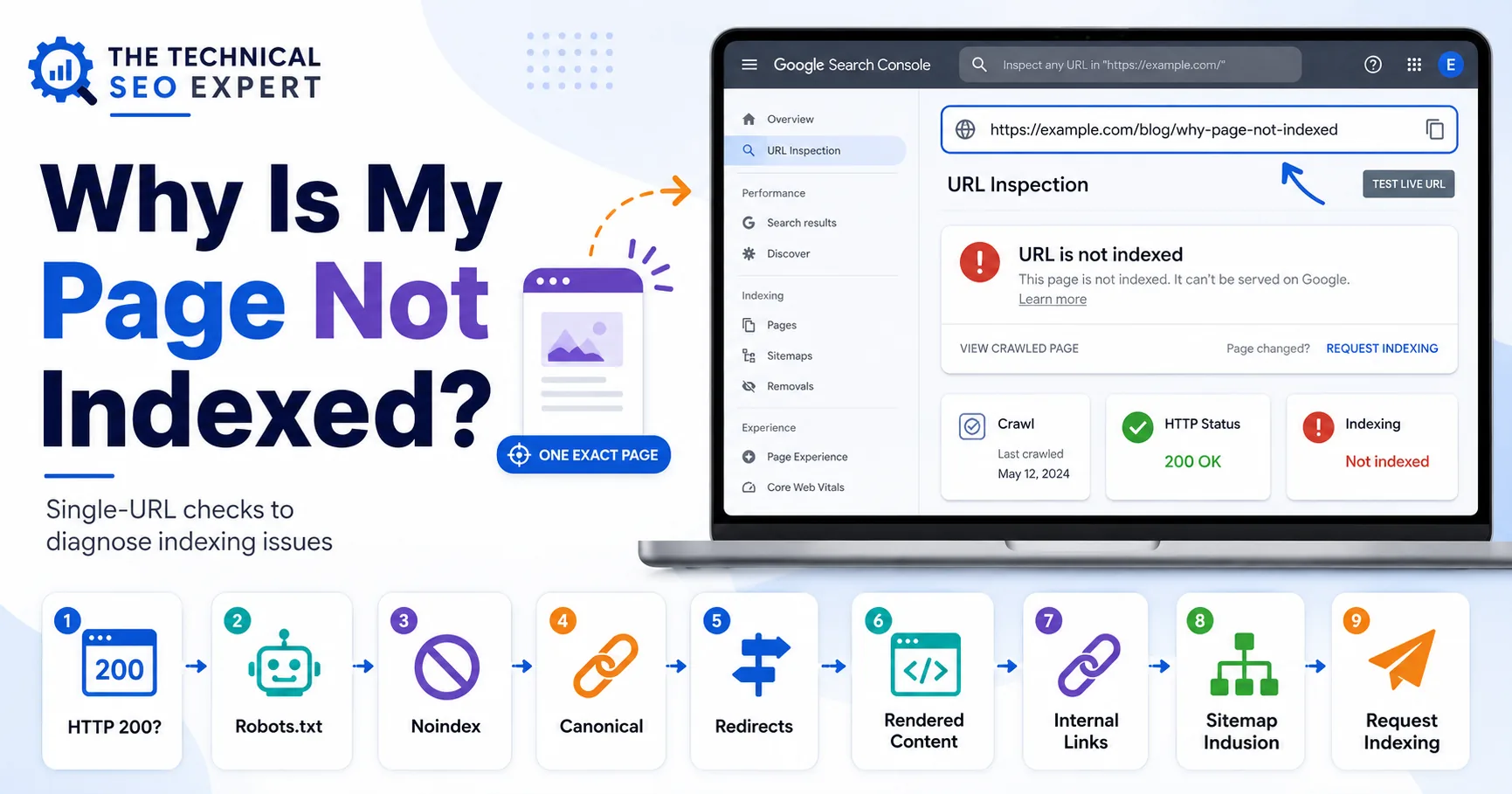
Why Is My Page Not Indexed?
Use this when one specific URL is still not indexed after validation.
Read the article →A practical guide to new-page indexing delays, discovery, internal links, XML sitemaps, crawl priority, and validation.
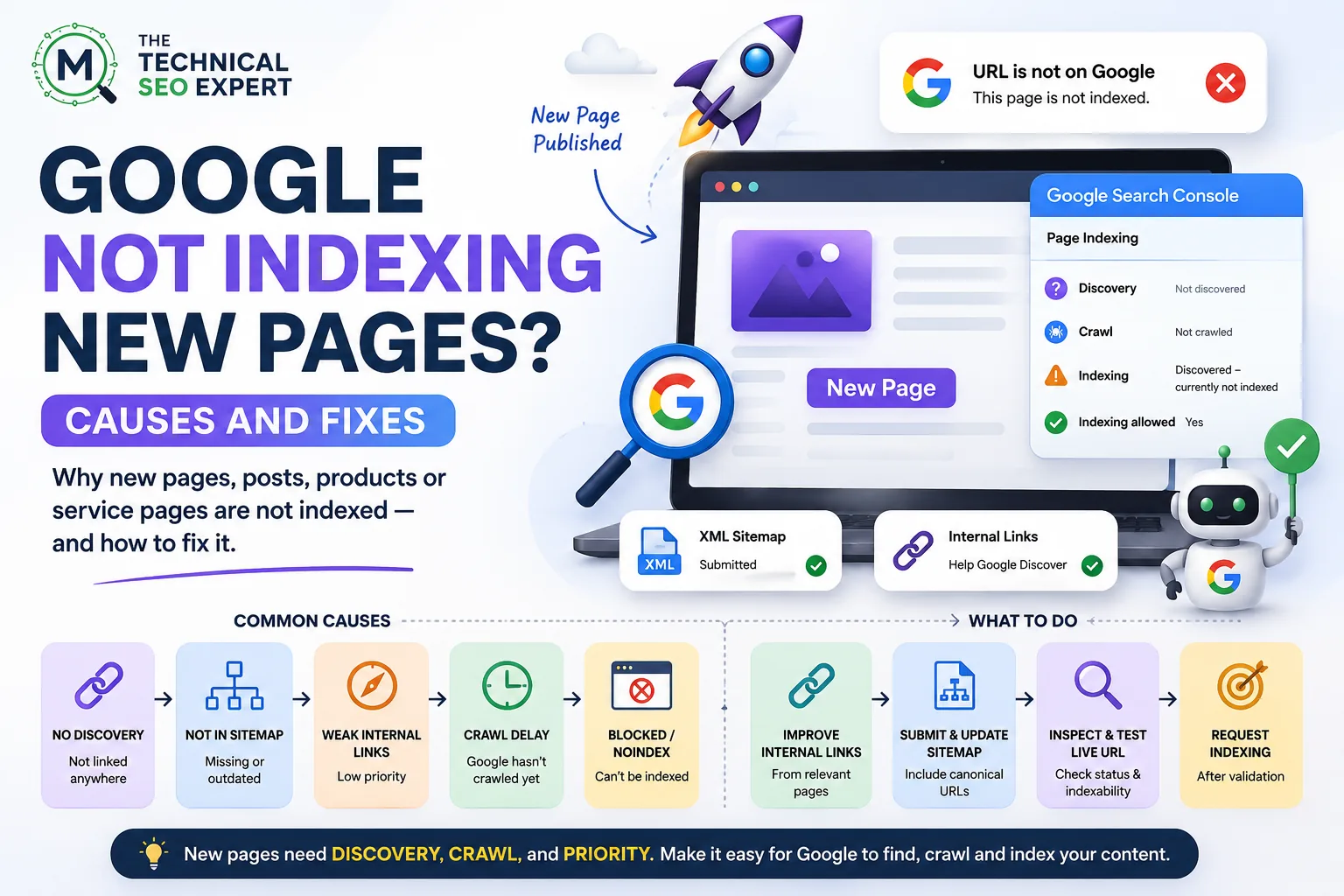
When Google is not indexing new pages, first determine whether the delay is normal, then check discovery, internal links, XML sitemap signals, crawlable navigation, Search Console status, and whether the page deserves priority.
New pages do not always enter Google immediately. Publishing a page is not the same as Google discovering, crawling, processing, selecting, and showing it.
That is irritating, but normal. Google does not sit beside your CMS waiting for the “Publish” button like a loyal assistant with a clipboard.
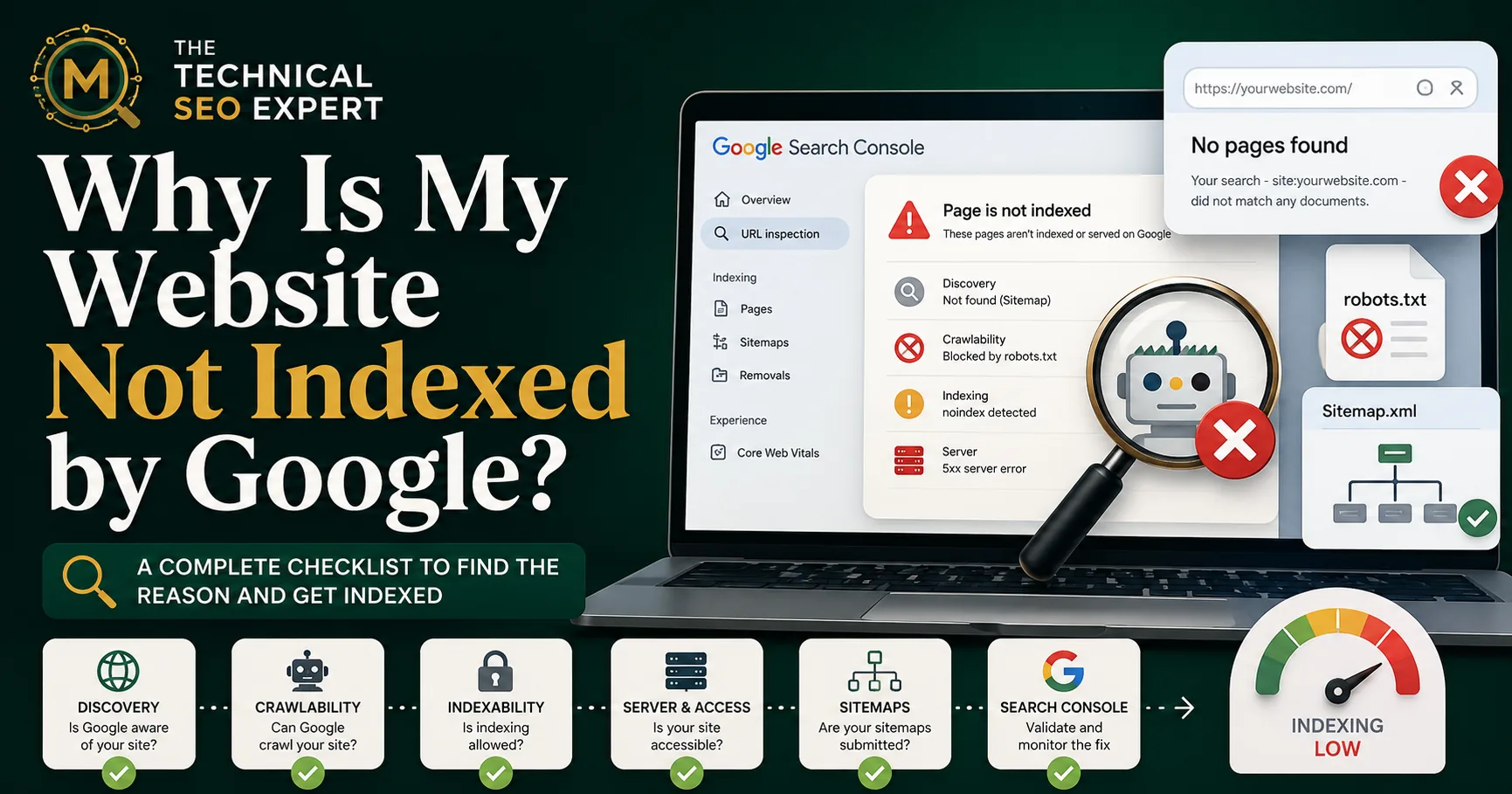
This guide focuses on newly published pages, posts, products, or service pages. For broader indexing problems across old and new URLs, see why Google is not indexing pages.
A delay can be normal when:
A technical problem is more likely when:
Do not assume delay or disaster too early. First inspect the evidence.
Use Search Console URL Inspection. For a focused next step, review URL is unknown to Google.
If Google has not discovered the URL, check:
A new page with no internal links may exist, but the website is not introducing it to anyone.
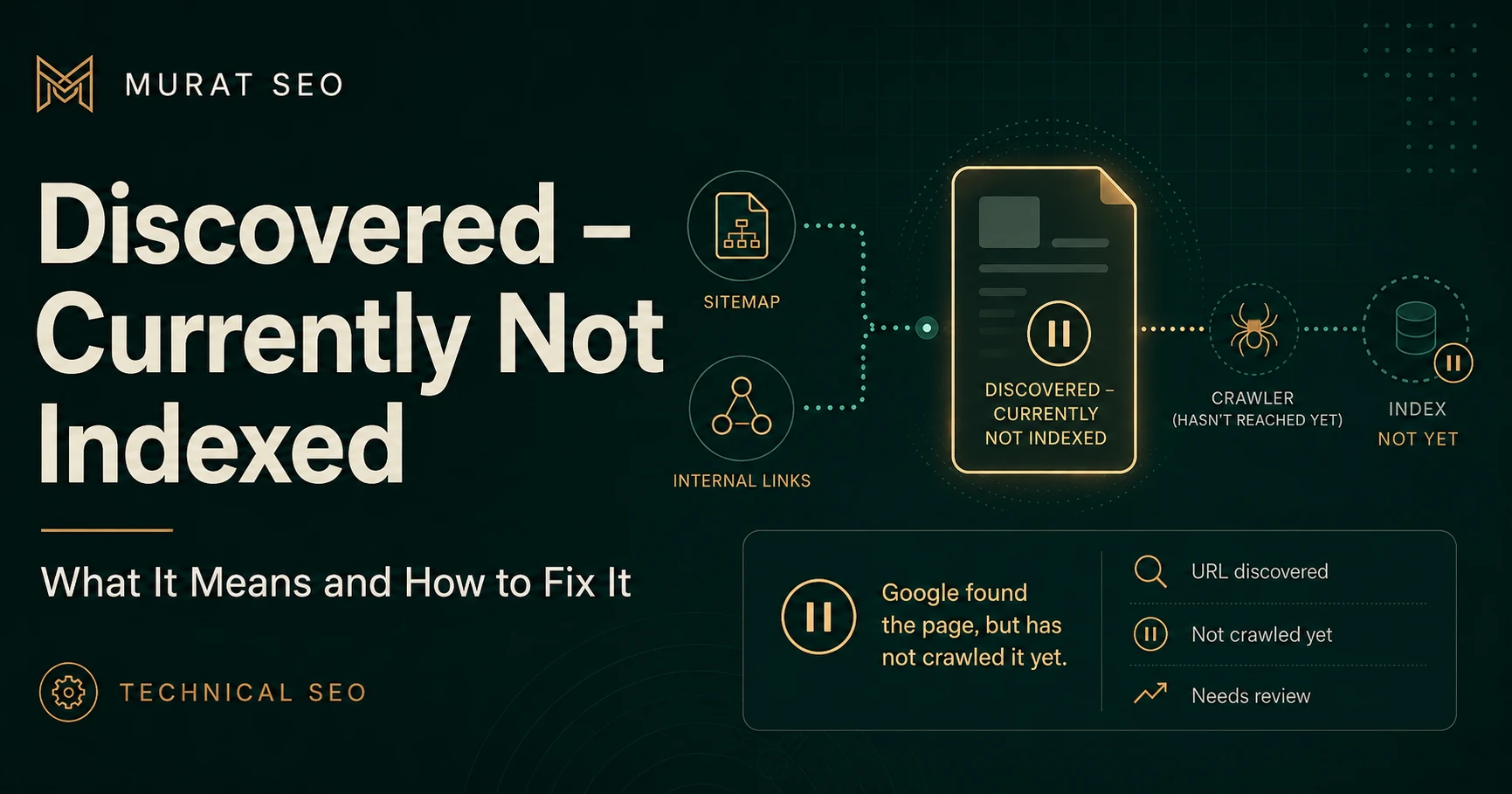
If Google knows the URL but has not crawled it, Search Console may show Discovered – currently not indexed. That means discovery has happened, but crawling has not yet followed.
Internal links are one of the most practical ways to help Google discover and prioritize new content.
For new pages, add relevant links from:
The goal is not to add random links. The goal is to connect the new URL to pages that already have contextual relevance and crawl visibility.
For example, a new service page should be linked from its parent service hub. A new blog post should be linked from relevant older posts, categories, or resource pages. A new product should be reachable from the right collection.
If several new pages are affected, use a broader process to find and fix technical SEO issues, especially if the problem is template-level.
A sitemap can help Google discover new pages, especially on new, large, or complex websites.
Check whether the sitemap:
Sitemap inclusion is helpful, but it is not an indexing guarantee. A page can be in the sitemap and still remain unindexed because of weak internal links, noindex, canonical issues, duplication, crawl delay, or low value.
If the sitemap says Success but individual URLs remain unindexed, use the guide to sitemap submitted but pages not indexed.
For newly published URLs, Discovered – currently not indexed is common.
It means Google knows the URL exists but has not crawled it yet. The page is not being rejected after content evaluation because Google has not fetched it.
For new URLs, check:
Use the detailed guide to Discovered – currently not indexed when this status persists across important new pages.
Request Indexing can be useful for a small number of important new pages.
Before requesting indexing:
200.Do not request indexing for every minor, thin, parameterized, or low-value URL. That wastes time and avoids the real issue: deciding which new pages deserve search visibility.
Request Indexing asks Google to crawl the page. It does not guarantee indexing.
There is no fixed indexing time. Crawling and indexing can take anywhere from days to weeks depending on the website, the URL, discovery signals, crawl patterns, content usefulness, and Google’s systems.
For a new page on a strong, frequently crawled website, indexing may happen quickly. For a new website with few links and weak architecture, it can take longer.
The practical question is not “Why was this not indexed in one hour?” It is:
| Situation | Recommended action |
|---|---|
| Page published very recently and technically clean | Wait and monitor |
| Page is not discovered | Add internal links and sitemap inclusion |
| Page is discovered but not crawled | Improve crawlable links and priority signals |
| Page is blocked or noindexed | Fix the technical directive |
| Page canonicalizes elsewhere | Review the canonical target |
| Many new pages from one template are affected | Investigate template-level issue |
| Page is thin or duplicative | Improve or consolidate it |
| Important page remains unindexed after validation | Investigate further in Search Console |
Waiting is appropriate only after the basic signals are clean. Waiting while the page is noindexed is not patience; it is just giving the problem more time to continue.
Use:
For multiple new pages, create a small monitoring list with:
Use the guide to Page Indexing report and URL Inspection for deeper validation.
Google may not have discovered them, crawled them, processed them, or selected them for indexing yet. Check discovery, internal links, sitemap inclusion, crawlability, noindex, canonicals, and page value.
No. Request indexing for important, validated pages. Use sitemaps and internal links for broader discovery, especially when many URLs are involved.
It means Google knows the URL exists but has not crawled it yet. Improve internal links, sitemap signals, and crawl priority before assuming a content-quality problem.
Internal links help Google discover the page and understand its relationship to existing content. Links from relevant indexed pages are especially useful.
Wait when the page is new and technically clean. Investigate when the URL is blocked, noindexed, canonicalized elsewhere, inaccessible, orphaned, or part of a wider template-level pattern.
When Google is not indexing new pages, start with discovery before diagnosis.
Check whether Google knows the URL, whether the page is crawlable and indexable, whether it appears in a clean sitemap, whether relevant internal links point to it, and whether Search Console reports a specific status.
Then decide whether to wait, improve discovery, fix a technical issue, request indexing, or investigate a wider pattern. For persistent problems affecting important new pages, indexing support for new pages can help identify whether the issue is discovery, crawl priority, indexability, template output, or page-level value.
Clear diagnosis, practical fixes, and excellent communication.
Verified Upwork feedback