A Practical Technical SEO Audit Checklist
Review crawling, indexing, architecture, rendering, performance, structured data, and post-fix validation.
Read the article →A successful website migration requires benchmarks, URL mapping, staging tests, permanent redirects, updated search signals, and post-launch monitoring so search engines and users can reach the correct pages throughout the move.

A website migration can appear successful because the homepage loads, the navigation works, and nobody has reported a broken contact form.
Search engines are slightly less impressed by appearances. They need to understand which URLs moved, which pages disappeared, which version is canonical, and whether the new website can still be crawled and indexed.
The safest approach is to treat SEO as part of the migration plan rather than as a post-launch repair task. Establish reliable baselines, inventory the existing URLs, map old pages to relevant new destinations, test the staging website, and prepare validation checks before launch. During the move, activate permanent redirects and remove temporary crawl or indexing blocks. After launch, crawl the website again and monitor indexing, traffic, rankings, and conversions against the original benchmarks.
A migration often needs a technical SEO specialist to translate URL changes, redirects, canonicals, sitemaps, tracking, and post-launch checks into testable implementation requirements.
A website migration is a substantial change that can affect how users and search engines access, understand, or evaluate the website.
Common examples include:
The checklist depends on what is changing.
A domain or URL-structure migration requires old-to-new URL mapping and permanent redirects. A hosting migration with unchanged public URLs focuses more heavily on infrastructure testing, DNS changes, server availability, crawl access, and monitoring.
Define the migration scope before building the checklist. Otherwise, important responsibilities tend to appear for the first time during launch—which is an exciting moment to discover that nobody prepared the redirects.
Record the website’s current performance before changing it.
At minimum, capture:
Benchmarks help separate migration effects from existing problems or normal seasonal changes.
Run a complete crawl and save the results. The inventory should include:
A broader Technical SEO audit checklist can help identify existing problems that should not be quietly copied into the new website.
Mark the pages that generate traffic, conversions, rankings, or backlinks. These priority URLs should receive additional testing before and after launch.
Document whether the migration affects:
Changing a domain, platform, design, architecture, content, and tracking system simultaneously creates more variables to diagnose. When practical, separate major changes or test them in controlled stages.
The staging environment should be protected from accidental indexing, but it must still be testable by the migration team.
Check:
Create a launch task specifically for removing temporary
noindex
directives, password restrictions, or robots.txt rules. Do not rely on someone remembering this while the launch channel is producing messages every twelve seconds.
Map every important old URL to its most relevant new destination. For a focused next step, review redirect audit.
Use sources such as:
An old product page should redirect to its direct replacement or the closest relevant alternative—not automatically to the homepage.
URLs for content that has been removed without a replacement may need to return 404 or 410. Redirecting unrelated pages to one generic destination can confuse users and may be interpreted as a soft 404.
Assign responsibility for:
noindex
removal
Define the conditions that would justify delaying or reversing the launch. A rollback plan is much more useful when written before anyone needs it.
I review redirect mapping, crawl access, canonicals, internal links, sitemaps, tracking, launch checks, and post-migration validation before problems reach search results.
When URLs change permanently, use server-side 301 or 308 redirects wherever technically possible.
Each old URL should redirect directly to its final relevant destination. Avoid unnecessary chains such as:
Old URL → Temporary URL → Previous Redesign URL → New URLSearch engines do not need a historical tour of the website before reaching the current page.
Test the redirects in bulk as soon as they are active. Check for:
Confirm that the production website:
noindex
directives
Inspect representative templates rather than checking only the homepage.
Internal links should point directly to the new URLs instead of relying on redirects.
Update:
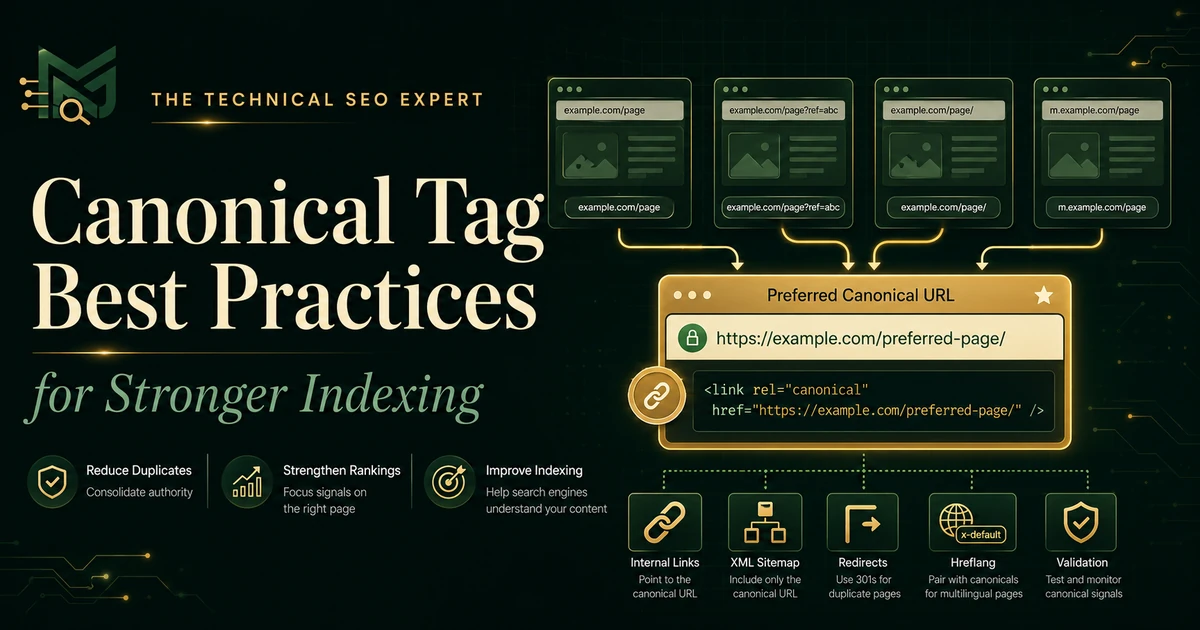
Each preferred page should normally use an appropriate self-referencing canonical. Review canonical-tag best practices when the migration creates multiple accessible URL versions or conflicting canonical signals.
Check that:
A migration without working measurement may appear calm simply because the reporting system has stopped observing it.
The new sitemap should contain current, canonical, indexable URLs returning successful responses.
Submit it in Search Console and confirm that Google can fetch it. Remove obsolete sitemap references when appropriate, but retain your migration records for later comparison.
For qualifying domain or subdomain moves, use the Change of Address tool after the site has moved and the redirects are active. It is not required for ordinary internal path changes, hosting migrations without visible URL changes, or HTTP-to-HTTPS moves.
Crawl the old URL list to verify that each address produces the intended outcome. For a focused next step, review post-migration SEO audit.
Then crawl the new website to identify:
noindex
pages
Compare the post-launch crawl with the pre-migration version rather than evaluating the new site in isolation.
Review:
Expect indexed old URLs to decline as new URLs are crawled and processed. Investigate unexpected spikes in not-found pages, server errors, blocked URLs, incorrect canonicals, or important pages remaining unindexed.
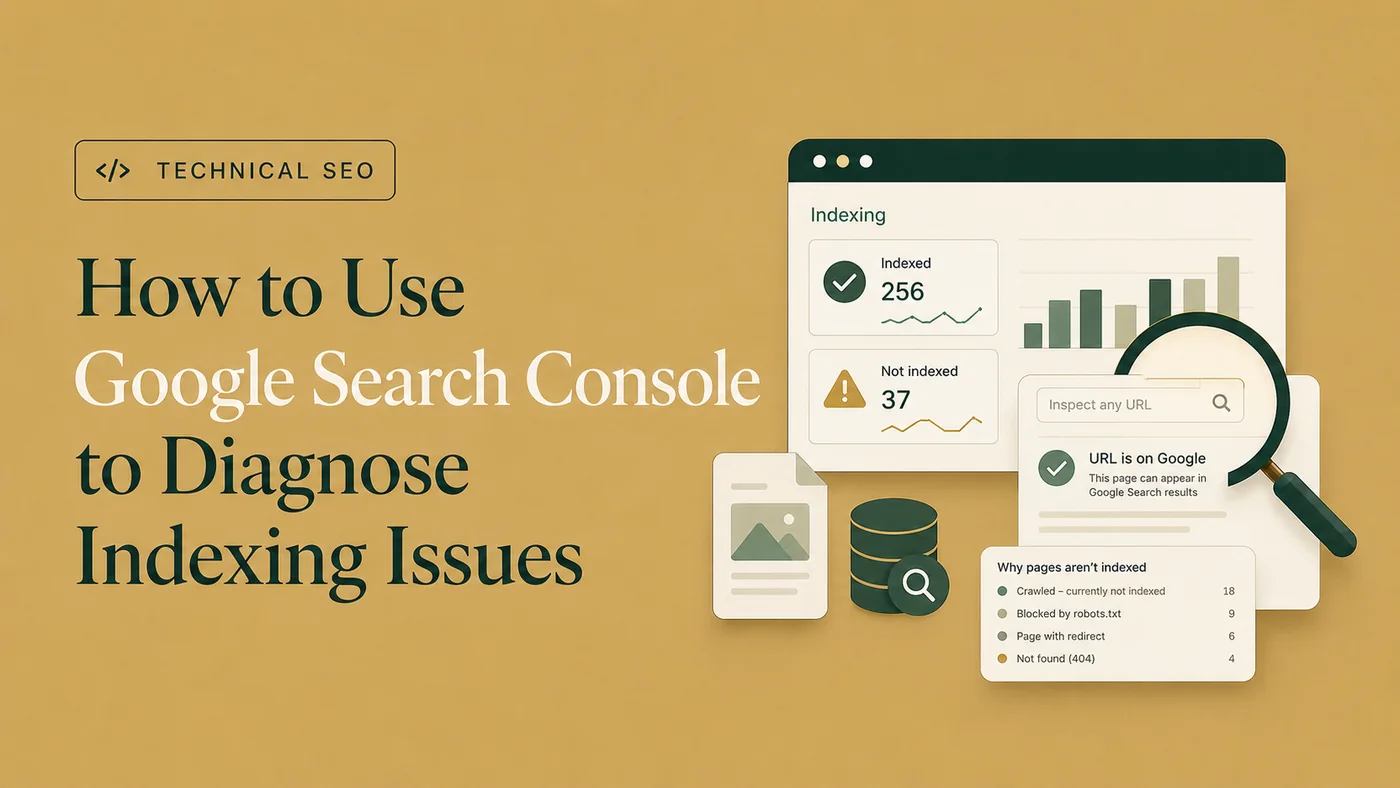
The guide to diagnosing indexing issues in Google Search Console provides a fuller workflow when important migrated URLs are missing from Google.
Monitor:
Review page groups rather than relying only on total site traffic. A stable overall number can hide a serious loss affecting one profitable section.
Migration redirects should not be removed after a few weeks. Search engines, users, external links, bookmarks, and old campaigns may continue requesting the old URLs.
Keep permanent migration redirects active for at least one year when possible, and longer when the old URLs still receive traffic or backlinks. Updating internal links reduces unnecessary redirect use, but it does not make the old URLs immediately irrelevant.
Some ranking and traffic fluctuation can occur while search engines recrawl old URLs, process redirects, evaluate the new pages, and update their indexes. For a focused next step, review organic traffic drop diagnosis.
However, a sharp or persistent decline should not automatically be dismissed as normal.
Investigate when the drop is accompanied by:
noindex
blocks
The practical distinction is evidence. Temporary fluctuation with clean validation signals may require monitoring. A decline accompanied by technical failures requires action.
No. Redirect each old URL to its closest relevant replacement. Redirecting many unrelated URLs to the homepage can provide a poor user experience and may be treated as a soft 404.
Keep permanent migration redirects for at least one year when possible. Retaining them longer can continue helping users and external links that still request the old URLs.
No. The tool is intended for qualifying domain or subdomain moves. It is not normally used for internal path changes, HTTP-to-HTTPS moves, www-to-non-www changes, or hosting migrations where public URLs remain unchanged.
It can be. Search engines need time to recrawl and process moved URLs. Persistent or severe declines should be investigated for redirect, crawlability, indexability, canonical, content, server, or tracking problems.
When practical, choose a lower-traffic period that still allows the full team to monitor and respond. Avoid launching immediately before weekends, holidays, major campaigns, or periods when key developers are unavailable.
A website migration without SEO preparation can turn a technically successful launch into an organic-search recovery project.
The safest sequence is straightforward: document the current website, define what is changing, map old URLs, test the staging environment, launch with consistent redirects and indexing signals, and validate the new website immediately.
Prioritize revenue-generating and high-visibility pages first. Monitor them in Search Console, analytics, crawl data, and server logs until their redirects, indexing, traffic, and conversions behave as expected.
For complex domain, platform, or architecture changes, Technical SEO audit and migration support can help translate the migration plan into testable requirements, implementation checks, and post-launch validation.

Clear diagnosis, practical fixes, and excellent communication.
Verified Upwork feedback