What Does a Technical SEO Specialist Do?
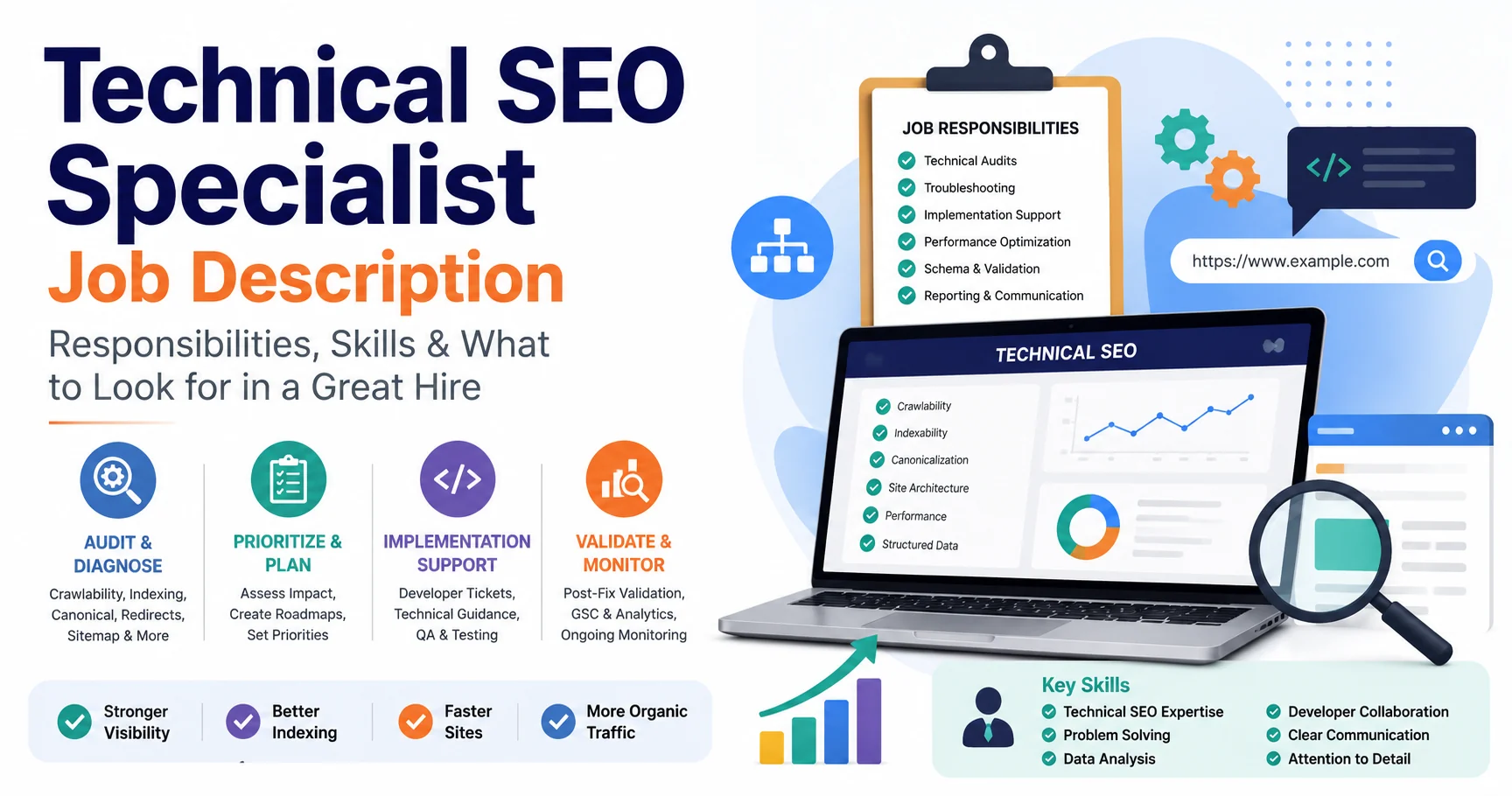
See how Technical SEO work moves from audits to diagnosis, implementation, and validation.
Read the article →Learn the skills, tools, practice projects, and validation habits needed to build real Technical SEO expertise.

To become a Technical SEO expert, learn how search engines crawl, render, index, and canonicalize pages; build practical skills with HTTP responses, redirects, sitemaps, internal links, JavaScript, performance, and structured data; then prove those skills through real diagnosis, implementation, and validation work.
Technical SEO can look intimidating from the outside. There are crawlers, status codes, robots directives, JavaScript rendering, structured data, server logs, Core Web Vitals, canonicals, XML sitemaps, migrations, and enough browser tabs to make an ordinary laptop reconsider its career choices. You do not need to learn everything at once. The most reliable path is to understand how search engines interact with websites, develop a structured diagnostic process, and repeatedly apply that process to real pages and templates. If you are still defining the role itself, start with what a Technical SEO expert is. This article focuses specifically on how to build the skills and experience required to become one.
A Technical SEO expert is not simply someone who can run a site crawl. The role involves understanding technical conditions that affect:
The practical difference between a beginner and an experienced specialist is usually not the number of issues they can identify. It is their ability to answer four questions:
A crawler may report 3,000 warnings. A Technical SEO specialist needs to determine whether three of them matter more than the other 2,997. That judgment comes from fundamentals, repetition, and real implementation experience.
You do not need to begin with server-log analysis or advanced JavaScript SEO. Start with the areas that explain most website-level search problems.
Understand the difference between:
These are related processes, but they are not interchangeable. A URL can be discovered but not crawled. It can be crawled but not indexed. It can be indexed but rank poorly. It can rank poorly even when its Technical SEO is perfectly acceptable. This distinction prevents one of the most common beginner mistakes: assuming every ranking problem is technical. Learn how Googlebot discovers URLs through:
Then learn what can prevent a URL from being processed correctly.
You should be comfortable interpreting:
200 OK301 and 308 permanent redirects302 and 307 temporary redirects404 Not Found410 Gone403 Forbidden5xx server errorsThen move beyond definitions. Ask:
Understanding HTTP behavior is essential for migrations, deleted content, URL changes, canonical troubleshooting, and crawling problems.
These controls are frequently confused. Robots.txt primarily controls crawler access. Noindex tells a search engine not to index the page once it can access and process the directive. You should also understand:
X-Robots-Tag headersA Technical SEO specialist needs to identify not only whether a rule exists, but whether it is appropriate for that URL type.
Canonicalization is one of the most important Technical SEO concepts because websites commonly expose the same or similar content through several URLs. Learn to check:
Google may choose a representative URL from a group of duplicate or
very similar pages using multiple signals, including redirects, sitemap
inclusion, and rel="canonical" annotations. The goal is not
simply to “add canonical tags.” It is to make the website's preferred
URL signals consistent.
Understand what a sitemap does—and what it does not do. A sitemap helps search engines discover important URLs. It does not guarantee indexing. Learn how to review:
A clean sitemap should normally represent the site's preferred, indexable URL inventory.
Technical SEO is not only directives and server responses. Site architecture influences how search engines discover pages and understand relationships between them. Learn to identify:
A commercially important page buried six clicks deep and linked only from an XML sitemap has a very different structural position from a page linked from the homepage, relevant hubs, and related content.
You do not need to become a JavaScript developer before learning Technical SEO. You should, however, understand:
Use browser developer tools and rendered-page inspection to answer practical questions:
Do not reduce performance work to “get 100 in Lighthouse.” Learn the three Core Web Vitals:
Then understand likely causes:
The important skill is connecting a performance symptom to the technical layer causing it.
You should understand JSON-LD and common schema types, including:
Learn how to check whether:
Structured data is an enhancement and understanding signal. It is not a ranking guarantee.
Validation is where many beginners stop too early. Do not assume a fix worked because a developer says it was deployed. Validate using:
Technical SEO should close the loop from problem → fix → evidence.
Tools matter, but learning the underlying concepts matters more. A strong starter toolkit includes:
Learn:
Search Console is especially valuable because it provides Google's own evidence about discovery, crawling, indexing, canonical selection, and search performance.
Screaming Frog is one of the most useful tools for learning because it lets you inspect websites at scale. Learn how to review:
Do not stop at exports. Group URLs into patterns and templates.
Learn the basics of:
You do not need to use every panel. Start with the parts that help answer SEO questions.
Use it to understand:
Use them to validate structured-data output and identify conflicts.
Google Analytics or another analytics system helps connect Technical SEO conditions with user behavior and business outcomes.
Server logs become more valuable as you move into larger or crawl-heavy websites. They can help answer:
You do not need log analysis to begin your career, but it is a valuable advanced skill.
You do not need to be a full-time developer. You should become technically literate enough to understand what the website is doing. Useful skills include:
For more advanced roles, useful additional skills can include:
The objective is not to compete with developers. It is to communicate clearly with them and understand how implementation decisions affect search-engine behavior.
The fastest learning usually comes from combining documentation with real websites.
Start with:
Google Search Central should be one of your primary references because it documents how Google Search handles these systems.
Use your own website, a test site, or a site you have permission to analyze. Run a crawl and identify:
Do not just record the issues. Ask why each condition exists.
Pick one issue at a time. Examples:
Follow the evidence until you can explain the cause.
If you control the website, make the change yourself. If development is required, write a developer-ready recommendation containing:
This is one of the most important career skills in Technical SEO.
Re-crawl. Re-test. Inspect the live URL. Compare before and after. This turns theoretical knowledge into implementation experience. A structured Technical SEO audit checklist can help you practice the major technical areas in a repeatable order.
You do not need a large client immediately. Good practice projects include:
Useful exercises include:
The goal is not to manufacture mistakes for a portfolio. The goal is to build evidence that you can recognize real conditions and make good decisions.
A Technical SEO portfolio should show reasoning. A screenshot of Screaming Frog with 50,000 URLs is not a case study. Useful portfolio examples show:
For example:
Important service pages were excluded because a template-level noindex directive was inherited from staging.
Show:
Explain exactly what needed to change.
Show whether you:
Show:
Avoid claiming ranking or traffic improvements unless the evidence genuinely supports them and other factors are acknowledged. Your portfolio should prove that you can diagnose and execute—not merely recognize terminology.
There is no single career path. Common routes include:
You begin with keyword research, on-page SEO, content, and Search Console, then gradually specialize in technical diagnosis.
Developers often enter Technical SEO with stronger coding knowledge but need to learn search-engine behavior, canonicalization, crawling, indexing, and SEO prioritization.
Content specialists often develop Technical SEO skills after encountering indexing, internal-linking, architecture, and duplicate-content problems.
Analytics or data specialists may move toward Search Console analysis, crawling, log files, site architecture, and programmatic SEO. Career outcomes can include:
The title matters less than the level of responsibility. A senior specialist should be able to diagnose ambiguous problems, prioritize large URL inventories, work with developers, manage migration risk, and validate complex implementations.
You do not need to know every answer. You should have a repeatable method for finding the answer. You are ready to take on increasingly complex Technical SEO work when you can:
That last skill matters. Technical SEO often involves incomplete evidence. A strong specialist does not manufacture certainty. They test.
Tools change. HTTP status codes, crawling, canonicalization, and indexing concepts remain more transferable.
A crawler reports conditions. You decide whether those conditions matter.
Courses are useful, but Technical SEO becomes much clearer when you work on real websites.
Technical SEO recommendations frequently require implementation by another person. Writing clear requirements is part of the job.
Changing established URL structures can create unnecessary migration risk.
Technical SEO helps remove barriers and improve signal consistency. It does not replace relevance, content quality, authority, competition, or search demand.
Learn search-engine crawling, indexing, HTTP responses, robots directives, canonicals, redirects, sitemaps, internal linking, rendering, performance, and structured data. Then apply those skills to real websites and validate your fixes.
You do not need to be a full-stack developer, but HTML, basic JavaScript, HTTP, browser developer tools, and the ability to understand technical implementation are highly valuable.
Start with Google Search Console, a website crawler such as Screaming Frog, Chrome DevTools, PageSpeed Insights, Rich Results Test, and analytics. Add server-log analysis and more advanced tools as your work becomes more complex.
Yes. You can learn through your own websites, test environments, freelance projects, in-house work, open-source projects, and practical audits. What matters is real diagnosis and implementation experience.
There is no reliable fixed timeline. Progress depends on your existing SEO and web-development knowledge, how often you work on real websites, and the complexity of the problems you encounter.
It can be a strong specialization for people who enjoy problem solving, websites, data, search-engine behavior, and collaboration with developers. The role becomes especially valuable on large, ecommerce, multilingual, JavaScript-heavy, and frequently changing websites.
You do not become a Technical SEO expert by memorizing a list of audit checks. You become one by repeatedly moving through the same professional cycle: observe → collect evidence → diagnose → prioritize → implement → validate. Start with crawling and indexing fundamentals. Learn how URLs behave. Understand canonicals, redirects, sitemaps, internal links, rendering, performance, and structured data. Then practice on real websites until the concepts stop being isolated definitions and become part of a diagnostic process. The strongest Technical SEO specialists are not the people who know the most error codes from memory. They are the people who can look at an unfamiliar problem, gather the right evidence, identify what actually matters, communicate a practical solution, and prove that the technical condition changed.

I work on Technical SEO audits, Google Search Console indexing problems, crawlability, site architecture, structured data, and implementation support for websites that need clean diagnosis and practical fixes.
About Murat →

Clear diagnosis, prioritized fixes, and practical implementation support.
Verified Upwork feedback